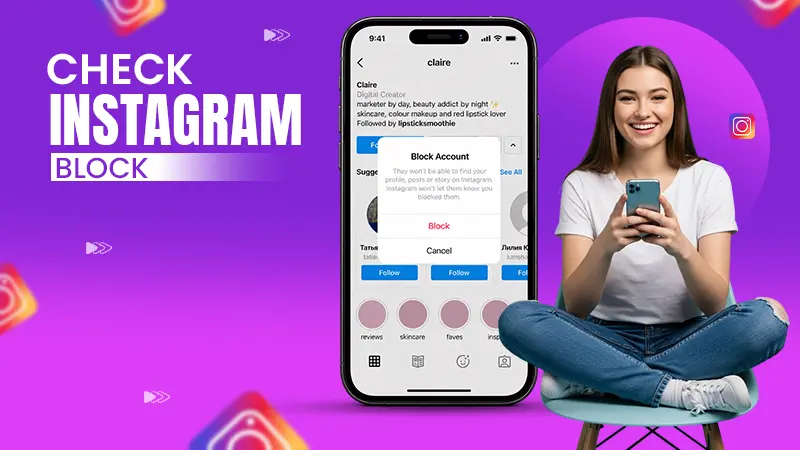
If you cannot see the person’s profile after searching for it, if you cannot see their posts and stories, if you cannot send them direct messages, if you cannot follow them again, if you cannot add them in a group chat, then you can probably say that you have been blocked on Instagram.
Blog
How to Tell if Someone Blocked You on Instagram: Easy Methods to Know the Signs Fast
Are you wondering how to tell if someone blocked you on Instagram? Being blocked by someone on Instagram means you don’t have access to their Instagram profile, and you can’t see their posts, stories, or any interactions done by them on Instagram. While Instagram doesn’t give you a direct notification when you are blocked by someone, which can feel a little disappointing, there are certain ways you can check whether you are blocked by someone on Instagram or not.
Some of the methods for how to tell if someone has you blocked on Instagram are checking their username and profile visibility, whether sent messages are delivered or not, and checking if their previous comments on your posts are still visible or not. In this detailed article, we will guide you with some easy and safe methods to check if you are blocked by someone on Instagram.
Quick Answer
You can get to know if someone has blocked you on Instagram by checking whether you can see their posts and stories or not. If you are blocked, you cannot message or follow them again. Also, you won’t be able to find them in your followers or following list, or see their previous likes and comments on your posts.
Table of Contents:
How to Tell if Someone Blocked You on Instagram: 10 Easy Methods to Check
You don’t get a notification or warning if someone has blocked you on Instagram, But, there are various methods that you can use to check your blocking status using your own Instagram account. These 10 easy methods will help you check if someone has blocked you on Instagram or not.
1. Check Their Profile on Instagram
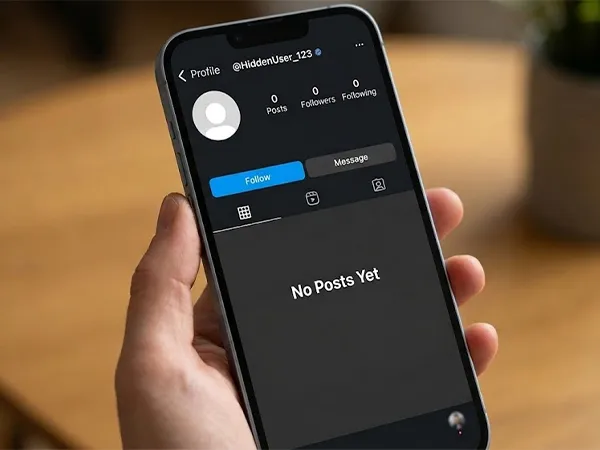
One of the methods for how to check if someone has blocked you is to search their username on Instagram; you won’t be able to see their profile in the search results. If you have the link to their profile and you open that link, you will see “No Posts Yet” under the Posts section, even if they have many posts on their profile. There will be 0 following shown and 0 posts shown on their profile.
2. Check if You Can Message Them
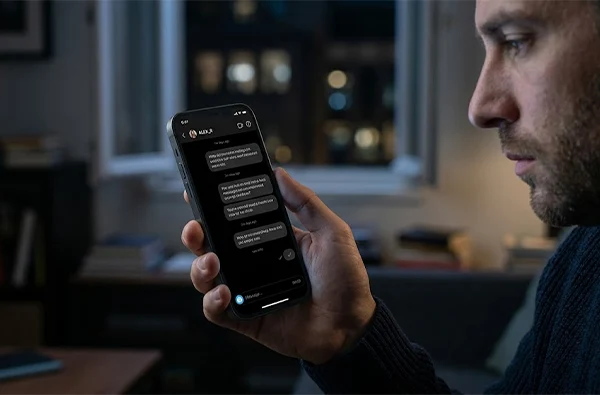
If you already have a chat thread with that person, you can type the message and hit send, but the message won’t be delivered to that person, who has already blocked you. You can wait for some time or days; if you do not get a reply, it means that person is not able to see your direct message because you have been blocked.
Note: It might happen that the other person has not blocked you but has changed his/her profile status from public to private. If you want to send a message, then you need to follow them first; otherwise, you won’t be able to send a message and may have a misconception that you are blocked.
3. If You Can’t Find Them in Your Followers and Following List
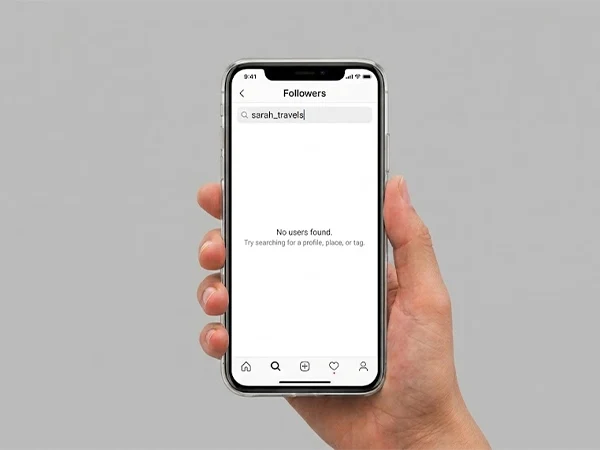
If you both have followed each other on Instagram, and suddenly you can’t find them either in the following or followers list at the same time, then it is a sign that you might have been blocked. But this can or cannot be the case if that person has deleted/deactivated his/her account; then also you won’t find him/her in any of the lists.
4. If You Can’t Tag Them in Posts and Stories
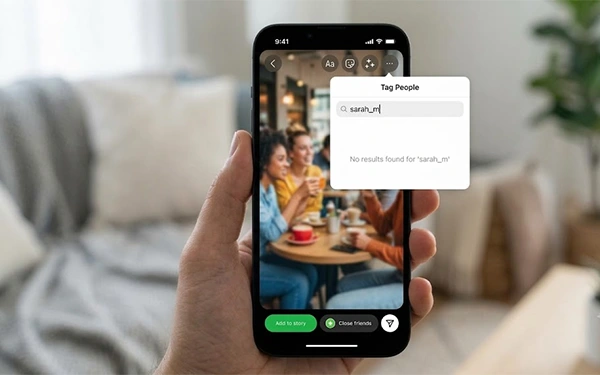
Tagging people in posts and stories is a common feature used on Instagram. You can check by trying to tag them in a post or story. If you are not able to search their name in the tagging list, it is possible that you have been blocked. But firstly, you need to check if you have searched for the right account, if the account has not been deactivated by the user, and if you have not crossed the Instagram tagging limit.
5. If You Can’t Find Their Previous Likes and Comments on Your Posts
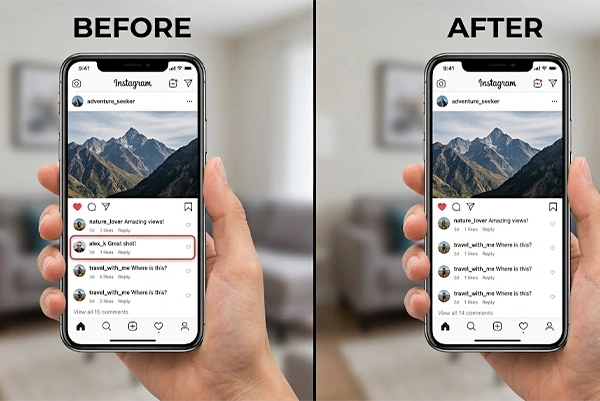
Another method that is considered good on how to check if someone has blocked you is to check your own profile to see their previous likes and comments on your posts. If you can’t see them anymore, then you can say that you have been blocked. But this does not guarantee you are blocked; they may have deleted their comments or changed their privacy settings so that only allowed users can see the comments and likes. You can verify that by asking some of your mutual friends to cross-check.
Also read: How to See Liked Posts on Facebook? Step-by-Step Guide
6. If You Can’t Follow Them Again
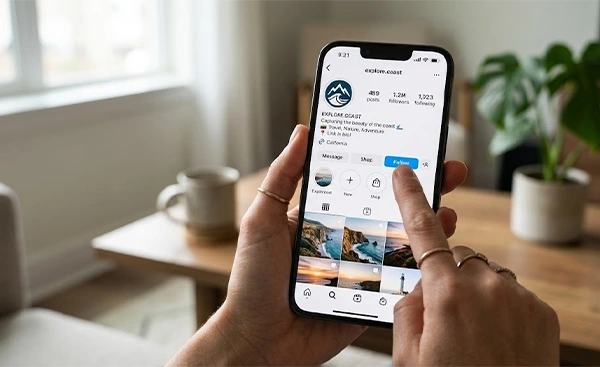
If you have been blocked by someone, it is obvious that person will not be shown in your following list. If you try to follow that person again by clicking on the follow button, you will not be able to press the follow button, and its status will not change to following. But it might be the case that you have reached your limit of following accounts or followed too many accounts quickly, so Instagram put you on hold from following further accounts. You need to verify the resolution of the facts too before jumping to any conclusion.
7. Check from Another Instagram Account or Device
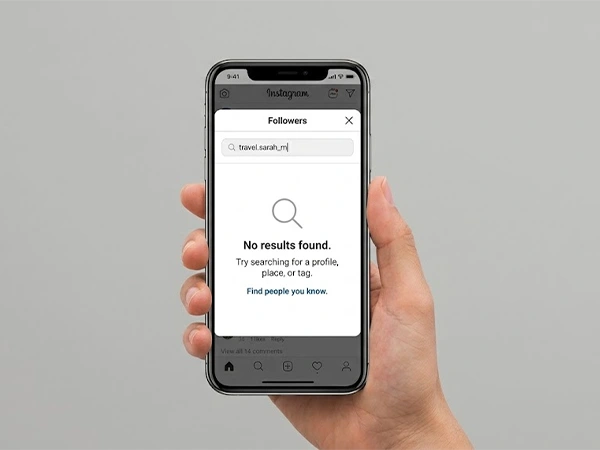
One of the best ways on how to tell if someone has you blocked on Instagram is to cross-check using another account or device. You can just switch to another account of your own; if everything seems fine in that account, then it means you might have been blocked from your prior account. You can also ask one of your friends to check your blocked status on their following list. If he/she can’t find you in the list, it means you are blocked.
Note: It might be the case that the person has just unfollowed you and not blocked you. For confirmation, you need to consider other factors like username not found, missing comments or tags, etc.
8. If You Can’t Add Them to Group Chats
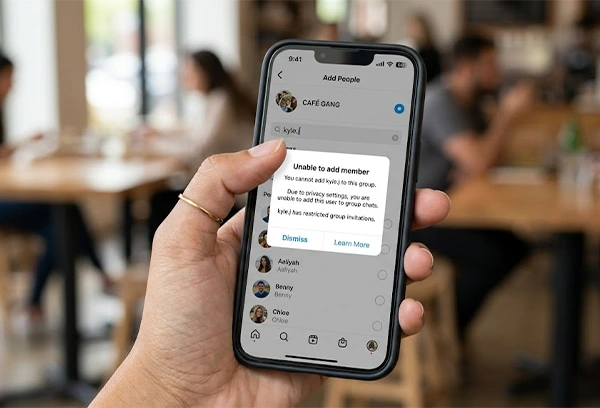
A group chat is a feature of Instagram in which you can add multiple members for chatting purposes. If you are not able to add them to your group chat, it means you have been blocked. But it might be the case that you have exceeded the limit of adding members to a group, or the person has set a privacy setting that doesn’t allow people to add them to group chats. You also need to follow the person to add him/her in group chats.
9. Check if You Can’t Join the Live Room
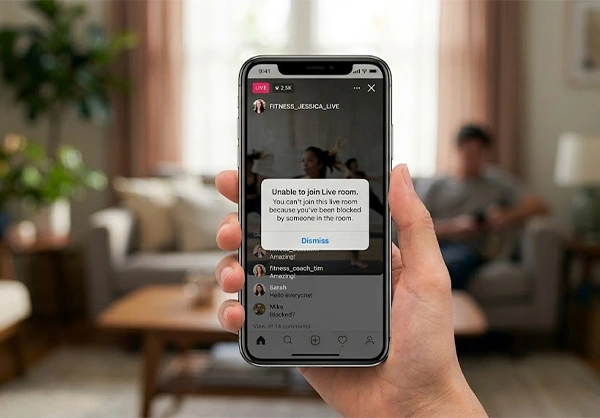
Instagram Live Room, a feature of Instagram that allows up to four people to go live together, can also be considered a good method to tell if someone blocked you on Instagram. If any one of the people in the live room has blocked you, then you will not be able to join the live room even if the live room host has never blocked you. This is a rarely used method for how to tell if someone blocked you on Instagram.
10. Ask on Your Own
This method is non-technical but one of the best ways for how to tell if someone has you blocked on Instagram. Instead of stalking or checking through various methods, you can directly ask the person over a phone call or direct message through another messaging app or in a face-to-face conversation if possible. It might sound awkward for once, but verifying with the person themselves is better than guessing and wasting time stalking someone.
Also read: Quiet Mode on Instagram: Know How to Turn It On and Off
Why do Instagram Accounts Get Blocked?
There can be various reasons for an Instagram account being blocked, such as personal conflicts between people that make Instagram users block someone to avoid further social interaction among them, or Instagram itself blocking accounts due to spam/bot detection. Fake/suspicious accounts in someone’s following list make them block those accounts for security purposes. For publicity and PR stunts, blocking someone on Instagram has also become a common reason among celebrities these days.
Some of the other reasons Instagram accounts get blocked are violations of community guidelines, inappropriate content posted, infringement of copyrights, violating the age restrictions, etc. In these cases, Instagram itself blocks or restricts the account.
Difference Between Blocked and Unfollowed on Instagram
While blocking and unfollowing are closely related features on the Instagram platform, it doesn’t mean that they both are the same. Blocking means the end of the relationship between two accounts; both accounts can’t follow the other or see posts or stories. Unfollowing is one-directional; in this, the unfollowed person can still see the posts or activities of the other person (the account must be public), and they can exchange messages too.
| Blocked on Instagram | Unfollowed on Instagram |
| You cannot see their profile or posts. | You can still see the profile if the account is public. |
| You can’t send the message. | You can send/receive the message. |
| You cannot be followed again by the user. | You can be followed again by the user. |
| You cannot see their past comments and likes on your posts. | You can see their old likes, comments, or tags on your posts. |
| You can’t tag them in posts or stories. | You can tag the person in posts or stories, but the rest depends on the privacy settings of the person who unfollowed you. |
How to Keep Your Instagram Profile Safe?
Making an Instagram profile is easy, but keeping it safe and secure is a difficult task these days, as there are numerous spammers and hackers who can hack your account and use it for cybercrimes. You can keep your Instagram profile safe by keeping your account private if possible, restricting or blocking suspicious accounts, enabling two-factor authentication, setting strong passwords, and not sharing essential information with unknown persons online.
You should be aware and keep your account safe to avoid any kind of mishap. Below are some of the tips to keep your Instagram profile safe.
- Keeping your account private: If you are not a public/social figure, you can keep your account private if possible by switching your account to Private. Only the people whom you follow and who follow you will see the activity you do, ensuring privacy.
- Block suspicious accounts: If you see any suspicious DM in your message section or notice any account with a weird name and posts, you should directly block them before you get any unwanted messages from them or your account gets hacked.
- Changes in your account settings: You must enable two-factor authentication to verify two times before logging in from other devices and reset strong passwords from time to time
- Limited user interactions: You can temporarily limit interactions with users by using the limit interaction feature on Instagram to hide comments, activity, etc. from the accounts with whom you don’t want to share the content.
- Update your login credentials: Always keep your phone number and email updates that are associated with your account so that if something happens to your account, then Instagram can reach you and recover your account.
What to Do When Someone Blocks You on Instagram?
It’s an obvious question that comes to mind about what to do when somebody blocks you on Instagram. When somebody blocks you on Instagram, you should not take it personally; instead, stay calm, think about the possible reasons the person might have blocked you, and talk to the person directly if possible. If you get a valid reason for blocking you, then just accept it and move ahead in your life. Below are some of the tips on what to do when someone blocks you.
1. Stay Calm and Positive
When you find out that someone has blocked you on Instagram, there can be two cases: either you don’t care, as you weren’t that close, or you will take it personally because the person matters to you a lot. But before jumping to any conclusion, you should stay calm and think positively because one wrong step can worsen the situation.
2. Wait Before You Reach Out to the Person Who Blocked You
Think about the possible reasons that can make the person block you, like personal conflicts, a technical glitch, etc. Prepare yourself before interacting with the person; it may save you from being disrespectful and can help in resolving the issue. On the other hand, reacting hurriedly can escalate the conflict.
3. Take the Help of a Mutual Friend to Know the Situation
If you don’t want to be directly involved in the interaction, you can ask a mutual friend to clarify the whole scenario and the possible reason for blocking you. Involving a third person may make the situation lighter, and you will also not feel awkward or desperate. It may also happen that the person who has blocked you may also want to convey the message to you through that third person.
4. Don’t Overthink
If the issue doesn’t get solved, it’s not always necessary to chase the person until you get accepted. You should leave the situation, take it positively, and move on in your life. With the passage of time, you will understand that being blocked by somebody on social media doesn’t mean your life has ended, and you might get a chance to make the connection again with the person in the near future.
Also read: Why Is MY Instagram Messages Purple? A Complete Guide
FAQs
How to tell if someone blocked you on Instagram?
Does blocking someone end the possibility of interaction with that person on Instagram?
Yes, blocking someone ends the possibility of messaging that person using Instagram, but if that person unblocks you, then you will be able to send messages and resume the interaction again.
How to keep Instagram safe from security threats?
You can keep your Instagram account safe from security threats by enabling two-factor authentication, switching your account to private, and restricting or blocking suspicious accounts.
Conclusion
In the detailed article, we studied easy methods for how to tell if someone blocked you on Instagram. If someone has blocked you, you can’t see the person’s profile and post/stories; you can’t send a message to him/her directly; you can’t follow him/her again; you can’t see their previous likes and comments on your posts; and you can’t add them to group chats or live rooms.
For you, the safety of your Instagram account should be the utmost priority; you should always keep your account updated and secure and should avoid following and interacting with suspicious accounts, as they may hack your profile.
Sources:
Instagram Help Center: What happens when someone blocks you on Instagram?
Instagram Help Center: Block or unblock someone on Instagram
Related Post's