No. Agents take the repetitive execution, while you keep the judgment and control of the project. Every change stays visible and editable.
Blog
What Is an Agentic Video Editor, and Should Creators Care?
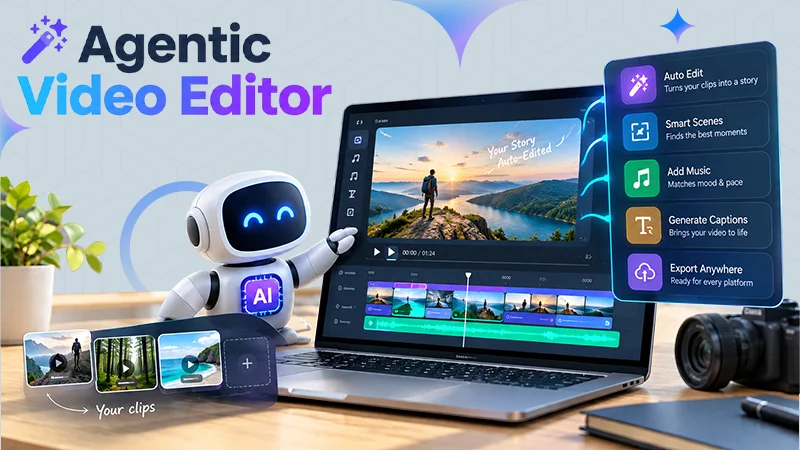
An agentic video editor is a video editing tool that is used by AI agents to do actual editing work on your timeline, according to the direction you give them. The agent reviews the footage, picks the usable takes, and builds the edit. You just have to describe the cuts you want, and then you can review, redirect, and refine it.
If you’re curious about this and you spend more hours sorting footage than shaping a story, it will help. Read the full blog to know what agentic editing means, how it differs from the AI buttons you already know, and who should try it.
Table of Contents:
- What is an agentic video editor?
- How is an agentic video editor different from regular AI editing tools?
- What editing work can an AI agent actually handle?
- What is a base cut, and why does it save the most time?
- Should creators care about agentic video editing?
- Which platform should you use for agentic video editing?
- How to try an agentic editor on your own footage
- Tips for getting a better first cut from an AI agent
- Final thoughts
- FAQ
What is an agentic video editor?
An agentic video editor is an editor where AI agents take on multi-step editing jobs rather than one small task. You provide the agent with your footage and your direction. It understands the project, does the assigned work, and gives back a result you can change. Like in an Instagram highlight.
The key word is “agent.” A feature does one thing when you click a button. An agent takes an objective, like “build a clean first cut from these takes,” and works through the steps required to get there.
Everything the agent does happens on a normal timeline. That means you can check every change and keep editing by hand.
How is an agentic video editor different from regular AI editing tools?
Most editors added AI as single-use tools, for instance, auto captions, silence removal, or background removal. These help, but you still sort the footage, create the timeline, and make every cut yourself.
The difference comes down to who handles the steps:
- AI feature: one task, one click, and you manage everything around it.
- Agentic editor: one goal, many steps, and you review the finished result.
Consider the difference between using a calculator and handing a spreadsheet to an assistant. Both save time, but the second one saves a lot more.
What editing work can an AI agent actually handle?
Editing is part of craft and execution. The craft is your judgment: the story, the rhythm, and what a cut should feel like. The execution is the repetitive part, and that is what agents take over.
In practice, an agent can manage jobs like these:
- Reviewing hours of raw footage
- Comparing repeated takes and picking the clean one
- Cutting false starts, pauses, and filler
- Arranging clips into a first timeline
- Adjusting pacing and duration
- Syncing multicam angles
- Dubbing dialogue while keeping lip sync
- Background colours
- Turning one project into social cuts and platform versions
Invideo editor includes this full range, from assembly to grading, audio cleanup, and versioning, all inside one project.
What is a base cut, and why does it save the most time?
A base cut is the first complete timeline created from your usable footage, with repeated takes, mistakes, pauses, and filler removed. It is not a highlight reel. It runs from beginning to finish.
It is also a beginning point, not a final video. The value is that you ignore the sorting and carry on editing from a solid first pass.
Agents can build a base cut from different kinds of footage:
- Single camera with a script: select one clean take per line.
- Single camera without a script: works out what you said and keeps each point once.
- Multicam: syncs the angles and creates a layered cut.
- Music or beat-led: arranges footage around a beat pattern.
Should creators care about agentic video editing?
Yes, if your time goes into logistics rather than storytelling. Moreover, the more raw footage you record, the more you gain.
An agentic editor is a strong fit for:
- YouTube creators working through long recordings and repeated takes
- Podcast and interview channels with multicam footage
- Small teams that need to review and revise in the same project
- Creators who want to turn one video into many versions
Creators who work with a hired editor benefit as well, since InVideo Editor lets editors, collaborators, and agents work inside the same shared project.
An agentic editor may not be worth it if you enjoy cutting manually or if your videos are short clips with one clean take. When there is nothing to sort, an agent has little to clear away.
Which platform should you use for agentic video editing?
Look for a few things before you choose one. You want an actual timeline you can edit by hand, agents that work on the footage you already shot, and a way to redirect the outcome in plain language. Collaboration on the same project helps if you work with others.
Invideo editor is a great choice for this kind of work. You can use invideo’s agentic video editor to upload raw footage, explain the cut you want, and get back an edit that stays yours to change. The agents watch the footage and work the timeline directly, so you are never fixing an output you cannot open.
Other tools suit different requirements. Adobe Premiere Pro is a solid choice if you want a familiar manual timeline and deep Adobe integration. Descript works well for dialogue-heavy content edited by transcript.
The right pick relies on where your time goes. If it goes into sorting raw footage, an agentic editor is the better match.
How to try an agentic editor on your own footage
You can check the workflow in a few minutes:
- Go to ai.invideo.io and select Timeline Editor below the prompt box. Create a blank timeline.
- Open Media and upload or drag in your footage.
- Create an agent and describe how you want the footage assembled into a base cut.
- Review the timeline and keep shaping the edit.
Bring messy footage the first time, for example, a few takes of the same lines and some false starts. Invideo editor highlights its value when there is something to clean up, and clean single-take footage will not show you much.
Tips for getting a better first cut from an AI agent
- Give clear structure. Explain the cut by topic, story, shooting order, or transcript.
- Add a script or transcript if you have one. The agent can create against it.
- Review it like an assistant editor’s work. Watch the cut, then redirect anything you want changed.
- Do not expect a finished video. Treat the result as a base to refine.
- Do not send vague directions. Sparse instructions give a rougher starting point.
Final thoughts
An agentic video editor does not actually replace your creative eye. It takes over the sorting, comparing, and cleanup that eat your editing hours.
If you record a lot of footage, work with a team, or repeat the same cleanup on every video, it is worth a test. Begin with messy footage, give clear direction, and see how much of the grunt work disappears.
FAQ
Will an agentic video editor replace human editors?
Do I need editing experience to use one?
It helps, because you will be directing and reviewing the work. You describe what you want in plain language, and you can refine the result on the timeline.
Can I still edit by hand after the agent finishes?
Yes. The InVideo editor puts a full professional timeline beside the agent, so you can inspect, adjust, or override anything they do.
What kind of footage works best?
Raw footage with repeated takes, false starts, and filler. That is where an agent saves you the most time.
Related Post's