The best free Instagram tools are some applications that can reduce your efforts, save time, and deliver better results. You can use Buffer or Meta Business Suite to schedule a post, Canva for ready templates and designs, and Instagram Insights to track real data.
Blog
22 Best Free IG Tools for Content Creation in 2026
The best IG tools are Canva, Meta Business Suite, Instagram Insights, CapCut, and Buffer. You can use these tools for multiple tasks, such as Canva for designing, CapCut for Reels formatting and transitioning, and Instagram Insights to track your account data.
There are some tools that lure you with free likes, shares, and followers. You should not use them; Instagram can restrict or disable your account forever.
Quick Answer:
What are the best IG tools?
The best IG tools are Canva, CapCut, Meta Business Suite, Instagram Insights, and Buffer. These tools are for design, Reels, post scheduling, and analysis. Don’t trust any third-party tools that guarantee free likes and followers.
Table of Contents:
- What Are IG Tools?
- Why You Should Use Instagram Tools
- 6 Best Free Instagram Tools for Content Creation
- 4 Best IG Tools for Scheduling and Posting
- The Best Instagram Tool for Analytics and Insights
- 5 Best IG Tools for Hashtags and Audience Research
- 5 Best Instagram Tools for Followers and Engagement
- Why IGTools Followers Free Sites Are Not Safe
- IG Tools India: What Works Here
- Dos and Don'ts to Add IG Tools
- Conclusion
- FAQs
What Are IG Tools?
IG tools are applications that creators can use to create, design, and schedule content on Instagram. These tools can easily handle video editing, post scheduling, tracking data, and designing. Creators can use most tools with free and premium plans. The best thing about these tools is that you can connect them. Through Instagram’s official API, without logging in to any third-party websites or apps.
Firstly, you must know whether these tools are safe or unsafe before adding them to your account.
| Type of Tool | What It Does | Is It Safe? |
| Official partner tools (Buffer, Iconosquare & Hootsuite) | Design, schedule, analyse, reply | Yes |
| Meta’s own tools (Meta Business Suite, Meta Business Manager, & Meta Ads Manager) | Post, track, and run ads. | Yes |
| Free followers or likes sites | Offer fake likes and followers. | No |
Note: Genuine IG tools can never ask for your Instagram password. If you come across a website that needs logging in with your Insta username and password, walk away from there.
Why You Should Use Instagram Tools
Instagram tools save a lot of time and effort and help you post consistently. Some users upload content on Instagram more than 9 to 10 times. They can get remarkable growth if they start using the helpful tools, which is almost impossible to get manually. These tools are designed just to do repeated tasks that take most of your time so that you can utilize your time in other activities.
Here is what these tools handle for you with ease:
- Save time: You can create a lot of posts even for future using these tools, which saves time.
- Be consistent: You cannot be available always; therefore, schedule posts using a specific tool that works even when you are not there.
- Work with data: Take the next step using the insightful data so that you work more on what works better for your account.
- Reach new people: Search hashtags and keywords for better reach and filter out spammy terms.
- Design professional posts: Create posts that look professional without spending money on a designer.
Best Tip: It is better to use one tool for a problem, not many together. If you can save up to one hour every day, it can give you an extra week a month.
6 Best Free Instagram Tools for Content Creation
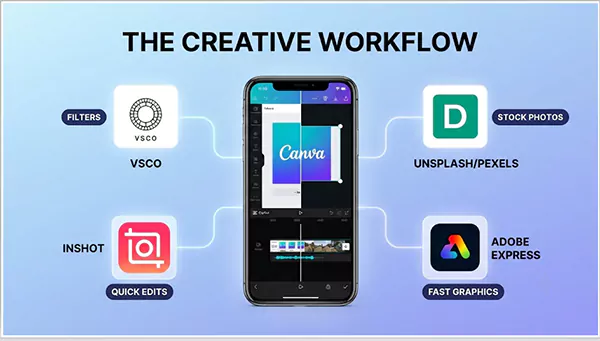
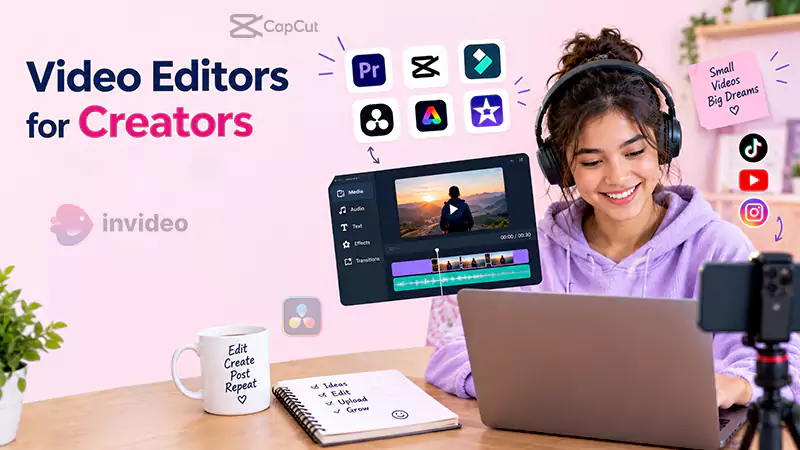
Here are the most effective IG tools that creators can use for creating content. These tools include Canva for free templates for all post formats. CapCut is a perfect one for Reels, and if you lack images, use Unsplash or Pexels to get millions of photos. All these offer free plans and don’t show any watermark with a premium plan. Choose the tools for the step that is a bottleneck for you.
| Tool | Best For | Free Plan Highlights |
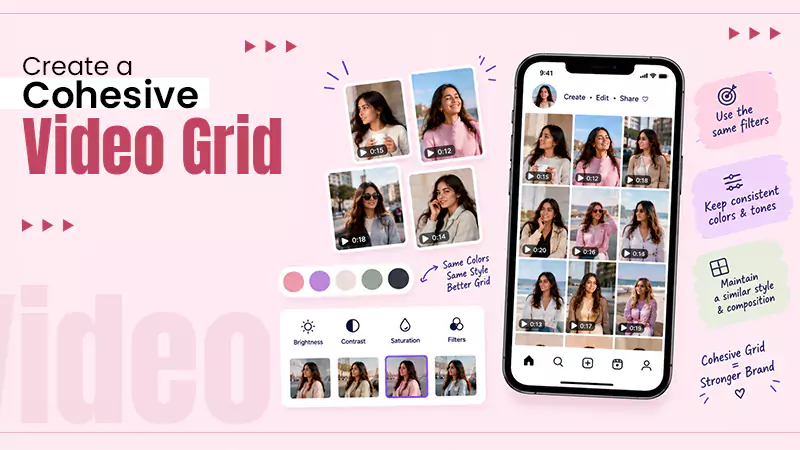
| VSCO | Photo filters | Presets for one consistent feed look |
| Unsplash / Pexels | Stock photos | Millions of free images |
| InShot | Quick mobile edits | Trimming, music, filters, text overlays |
| CapCut | Reels and video | Auto-captions, 4K export, without watermark |
| Canva | All-round design | Thousands of ready Instagram templates |
| Adobe Express | Fast graphics | Background removal and animations |
Important: If you have zero design knowledge, Canva is the easiest one to start with. For transitions in Reels and free trending sounds, you must go for CapCut. You only need to use these two tools to cover all post formats on Instagram.
4 Best IG Tools for Scheduling and Posting
Here are the best free post scheduling IG tools, which include Meta Business Suite and Buffer. You can schedule up to 10 posts on a single Instagram account using Buffer’s free plan, while Meta Business Suite is Instagram’s post scheduler, which is absolutely free and unlimited. Use either of them lest you forget to post on time.
| Tool | Free Plan | Standout Feature |
| Planoly | Yes, limited | Grid preview for a neat feed |
| Meta Business Suite | Yes, fully free. | Native scheduling, no third-party app |
| Later | Yes, limited | Drag-and-drop visual planner |
| Buffer | Yes | Visual calendar and grid preview |
Best Tip: In case you plan to use a single tool, go with Meta Business Suite as it is from Meta; log in to your Insta account to use it.
The Best Instagram Tool for Analytics and Insights
You should go with the Instagram Insights tool because it is built-in, free, and does not need any setup for a business or creator account. It shows you the best post formats for your account, reach, and demographics for followers. If you wish to know more about data, use either Iconosquare or Social Blade; these show tracking for competitors in your niche.
This is what you need to track weekly:
- Reach: How many unique users saw your post?
- Format types: Check what works best for you, whether stories, reels, or carousels.
- Follower progress: What types of posts bring new followers?
- Best time: It is the time when most of your audience is highly active.
Note: Switching to a business or a creator account is absolutely free on Instagram. You can do it within a minute under Instagram settings. You can use analytics and other tools mentioned in this guide.
5 Best IG Tools for Hashtags and Audience Research
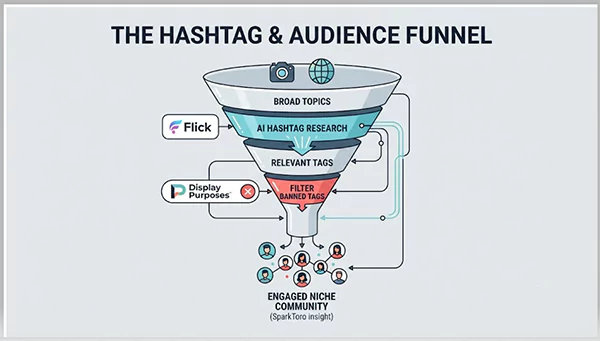
The best free hashtag Instagram tools are Buffer’s Hashtag Generator, Flick, and Display Purposes. You must use Display Purposes because it filters out the banned hashtags for Instagram that affect your reach. Give SparkToro a try to search for new audiences for free, as you have 5 free credits for your account every month.
| Tool | Use It For |
| Buffer Hashtag Generator | You get hashtags just by using a description only. |
| Display Purposes | Generates best hashtags by removing banned ones. |
| Flick | Hashtags with AI research and performance data |
| SparkToro | Find exactly what your audience is already following. |
| Social Blade | Benchmark competitors in your niche easily. |
5 Best Instagram Tools for Followers and Engagement
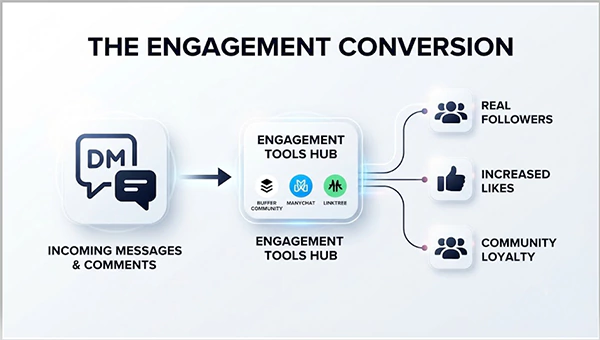
The best Instagram tools to increase followers use genuine engagement and not fake counts. If you reply to comments, it can increase your engagement rate by 21%. You can use these tools, including Linktree, Buffer Community, and ManyChat, to convert real engagement into followers and likes.
| Tool | What It Does | Free Plan |
| Buffer Community | All comments in one dashboard | Yes |
| Buffer Start Page | Free branded link-in-bio microsite | 100% free |
| Linktree | Link-in-bio page for your profile | Unlimited links |
| ManyChat | Auto-replies to comments and DMs | Up to 1,000 users |
| Quick Replies | Saves DM shortcuts in Instagram | Yes, built-in |
Note: No real tool can give you direct followers. These tools are just to help the right users reach you. This is the real growth that lasts longer.
Why IGTools Followers Free Sites Are Not Safe
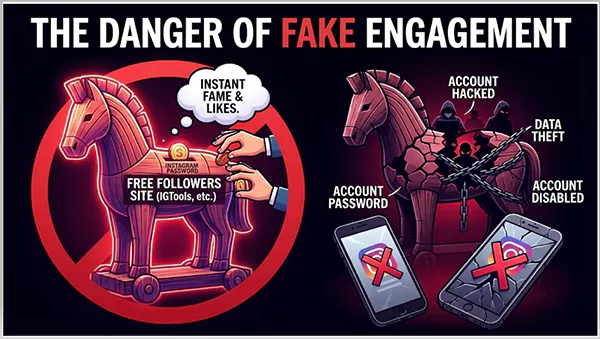
Some websites show tools to get 10 free Instagram likes, or IGtools likes free, which are not safe. These want you to log in to your Instagram, which is against Meta’s terms and policies that lead to your account being restricted or disabled permanently.
Here is exactly what goes wrong when you use these free follower tools:
- Against Meta’s rules: It is against the terms of Meta to get artificial followers and likes.
- Brand detection: People who offer you sponsor deals also check the quality of your followers before finalizing any deal.
- Restrict or disable your account: Instagram keeps checking whether your account gets fake engagement or not. Doing this can also suspend repeated offenders for good.
- Lower your reach: Your engagement rate goes down when you add fake followers, which prompts Instagram to show your posts to fewer users only.
- Your password is at risk: Most websites require a login to start; this is when you lose account control.
Warning: The same logic works for “Insta photo tools” or “free Instagram share” websites that require your login. If you come across any paid service for increasing followers and likes, remember it is going to cost more for your account than just money alone.
Honest advice: We have seen some creators buying around 5,000 fake followers, but their posts reach around 200 users only. The logic is simple because Instagram calculates engagement rate, not your followers count. Suppose you add fake followers using third-party tools, which decreases your engagement rate.
IG Tools India: What Works Here
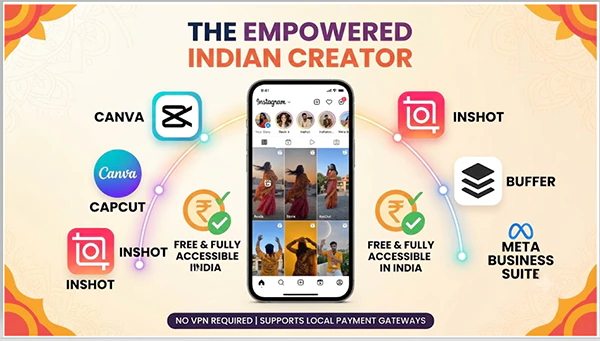
CapCut, InShot, Canva, Meta Business Suite, and Buffer are the best tools for content creation in India. All tools support Indian payment gateways if you want to upgrade your plan in the future. You need not pay for any subscription to use them, as they also have free plans that don’t need a VPN.
Here is a collection of some free tools for Indian users and small businesses:
- Bio link: Use Linktree or Buffer Start Page for absolutely free.
- Design: Canva: Get free templates for every Instagram post size.
- Reels: CapCut or InShot: Free to use even offline without any watermark.
- Schedule: Use Meta Business Suite to schedule posts for free.
- Track: Take help of Instagram Insights with a creator account at no cost.
Dos and Don’ts to Add IG Tools
Do’s
- Add tools that can connect through Instagram’s API only because these don’t require any separate login.
- Check connected applications in Settings → Password Security → Security checks for apps and websites every few weeks.
- Switch to a business or creator profile to track free analytics of your Reels and posts.
- Always check the reviews on G2, App Store, or Play Store before you add any tool to your account.
- Finalize only one for a single problem and keep using it for some days.
Don’ts
- Never buy engagement before getting a brand in because sponsors track the quality of followers.
- Do not add the tools without a company name or privacy policy.
- Don’t be lured by the services that claim free followers, shares, likes, or views.
- Never type your Instagram password or log in through any third-party applications.
Conclusion
The best IG tools can make your Instagram account manageable, not magical. Use Canva for creative designs and templates, and CapCut for reels. You can use Meta Business Suite and Buffer to schedule your posts. Go to Instagram Insights to know more about what is best-performing.
These are absolutely safe to use and have free plans. Never use the tools that guarantee you free followers and likes.
Next Step: Start using any 2 free tools this month; you can go with Meta Business Suite to schedule posts and Canva for designs. Continue to use the same for a month and compare results. This is a proven growth plan that doesn’t cost at all.
FAQs
What are the best free IG tools with some examples?
Is it safe to use IGtools followers free websites?
Not at all; you should never take the help of such third-party tools because they require logging in using your username and password, which can restrict or disable your account for good. Therefore, you had better not use them.
Can I get at least 20 free followers on Instagram?
Not possible, since no application, software, or tool gives you free followers. Although bot followers can increase the count, they lower your reach and engagement rate, which directly affects the number of users viewing your posts.
Is it safe to connect Instagram tools to my account?
Yes, the Instagram tools using Instagram’s official API are 100% safe to connect to, as they do not ask for your passwords. You can disable them whenever you want from the settings.
| Settings → Password Security → Security checks for apps and websites. |
Is a creator account compulsory to use these Instagram tools for free?
Yes, almost all the Instagram free tools need either a business or a creator account. You can switch accounts within a minute and use analytics and post-scheduling features.
What are the best IG tools for India?
Buffer, Canva, Meta Business Suite, CapCut, and InShot are the best free ig tools in India, which you can use without a VPN.
Sources:
Set up a professional Instagram account to access business or creator
tools and controls by the Instagram Help Center
View account and content insights on Instagram by the Instagram Help
Center
Secure your Instagram account by the Instagram Help Center
Related Post's