It delays finished videos, which pushes back the next video and creates gaps in your posting schedule. Over time, those gaps reduce momentum and audience attention.
Blog
Why Slow Editing Is Quietly Killing Your Posting Consistency
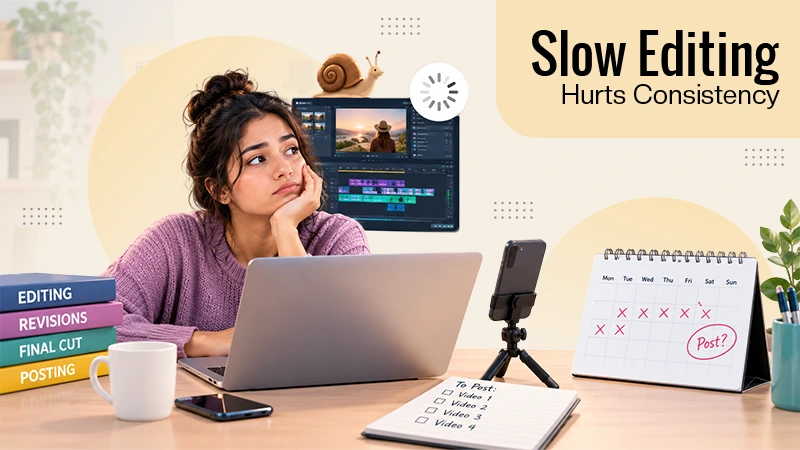
You might have brilliant ideas, shoot top-notch videos, and even plan your content calendar meticulously – but you could fail at staying on track with posting. It all starts right after shooting, when editing takes much more time than you thought and one unedited video becomes several unedited videos.
Suddenly, the week is gone, your scheduled post doesn’t come out, and your content calendar goes off track. Slow editing might be considered just a simple workflow issue; however, with every passing day, you will find it increasingly difficult to keep your audience interested and establish a posting rhythm.
Understanding where editing time disappears is the first step toward creating content more efficiently and publishing consistently without unnecessary stress.
Quick AnswerWhy does slow editing hurt posting consistency?Editing is usually the longest step between recording and posting. When it takes hours, videos miss their posting slot, the schedule slips, and gaps appear. Cutting the repetitive part of editing, such as reviewing footage and removing mistakes, is the fastest way to post on time again.
Table of Contents:
How Slow Editing Breaks a Posting Schedule
A posting schedule depends on one thing: a finished video ready on the day you planned to post. Recording is predictable. You know how long a shoot takes. Editing is not, because it depends on how messy the footage is, how many takes you recorded, and how much fixing each clip needs.
If one edit is delayed, the next video is delayed as well. Two late videos turn into a missed week. After that, posting becomes something you catch up on instead of something you do on schedule.
The consequences are subtle since there is nothing wrong with any of the delays on its own. It is the pattern that hurts. Audiences and platforms both respond to regular posting, and a feed that goes silent for several days loses momentum that is hard to rebuild.
The Part of Editing That Eats the Most Time
Editing has two very different layers. One is creative judgment, such as the story, the pace, and how a cut should feel. The other is execution, the repetitive work that has to happen first.
Execution includes:
- Screening through all the videos to extract the usable bits
- Comparing repeated takes to pick the best one
- Cutting false starts, pauses, and filler
- Arranging clips in the right order
- Creating multiple edits for different media
Here is where your hours go, and none of this requires your creativity. It only needs to be done. Invideo editor is built around this idea, taking on the repetitive execution so your time goes to the decisions that actually shape the video.
| Editing Layer | What It Involves | Does It Need You? |
| Creative judgment | Story, pacing, tone, final polish | Yes |
| Execution | Reviewing footage, cutting repeats, arranging clips | Not really |
How to Speed Up Editing Without Lowering Quality
The goal is not to rush the innovative side. It is to stop spending creative energy on repetitive tasks. Batch your recording, keep your editing steps consistent, and hand off as much of the mechanical work as you can.
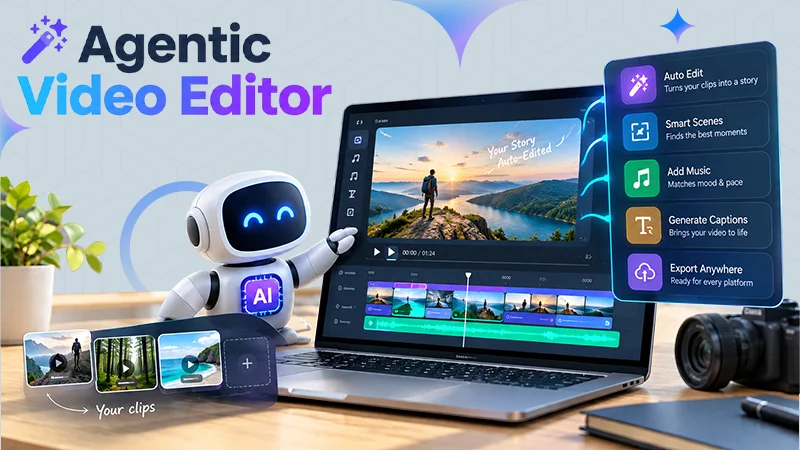
This is where InVideo Editor fits in. It lets you edit videos with AI by describing the cut you want, then uses agents to manage the repetitive work such as picking usable takes and removing repeated moments. Because the effect lands on a real timeline, you can still take over and adjust anything by hand.
The point is not about losing control. It is about having an already existing cut to start from.
What a Faster Workflow Looks Like
Here is a simple version of the process with the InVideo editor:
- Upload your footage. Upload your content into the editor. It is a browser-based tool, and thus nothing needs to be installed.
- Add a script if you have one. This is optional, but it gives the agents a clear structure.
- Describe the cut you want. Explain the topic, story, or order in plain language.
- Review the assembled timeline. The agents create the base cut where all takes and dead air are stripped out.
- Refine and post. Trim, add captions or music, and publish.
The initial editing process that used to take so many hours is now ready for evaluation. Your time goes into improving the video, not building it from scratch. The InVideo editor works well on messy footage in particular, since more repetition means more for the agents to clean up.
Dos and Don’ts for Consistent Posting
Dos:
- Work in batches in such a way that several videos will have the same editing process.
- Decide the video’s structure before you start editing.
- Hand off repetitive steps like footage review and filler removal wherever you can.
- Maintain a buffer of completed videos to ensure that a late edit does not throw your schedule off for the week.
- Use a tool like InVideo Editor that keeps every change visible, so you can refine quickly.
Don’ts:
- Do not assume that all videos will be good projects. Consistency beats perfection.
- Do not review footage from the very beginning every time if a tool can do the first pass.
- Do not wait for a full free day to start editing.
- Do not avoid one last look-through even if you finish the edit quickly.
Conclusion
Missed posting days are usually blamed on motivation or ideas, but the real cause is usually a slow editing process. When the repetitive part of editing takes hours, the schedule slips and gaps follow.
Focusing on improving the execution process while retaining control of the creative aspect is what will work in my favor right now. Post on time, keep your audience’s attention, and spend your energy on the parts of the video that actually need you.
FAQs
How does slow editing affect posting consistency?
What is the slowest part of video editing?
Usually the repetitive execution, such as reviewing footage, comparing takes, and cutting mistakes. This takes far more time than the creative decisions.
Can I speed up editing without lowering quality?
Yes. Handing off the repetitive work while keeping control of the final result lets you move faster without cutting corners on the creative side.
Do I need to install software to use InVideo editor?
No. InVideo editor runs in the browser and is free to use. You sign up and start editing.
How often should I post to stay consistent?
It depends on your platform and capacity. A realistic schedule you can keep matters more than a high number you cannot maintain.
Related Post's