Look for fast startup, built-in captions, cross-device access, support for repeat editing tasks, and a free plan that does not block the features you need for regular posting.
Blog
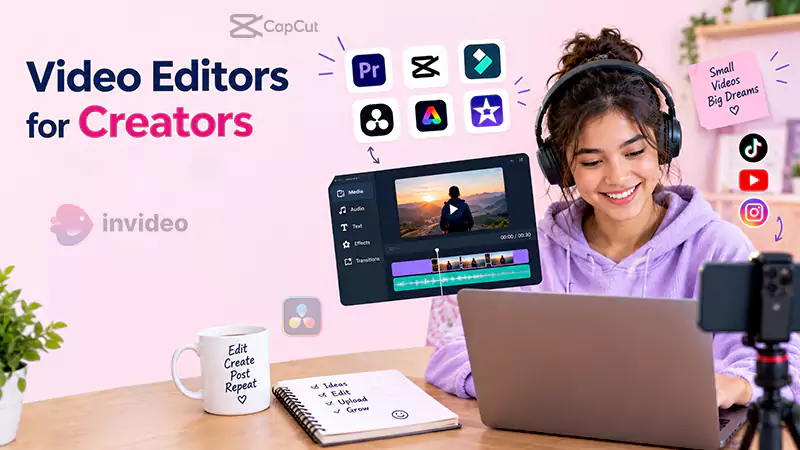
7 Free Video Editors for Creators Who Post Every Day
Posting daily may bring you some followers, but editing is what makes that number huge. A solid idea, a brilliant clip, and the will to post daily can fail, just because editing is consuming most of your time.
Only “working harder” does not solve this problem; you need an editing tool that matches your posting schedule and requires minutes instead of hours to edit a clip.
Here are the top seven video editors that will take less time and will provide brilliant results; this guide will let you decide which one is best for you.
Table of Contents:
What a Daily Posting Schedule Needs From an Editor
Before you go through the list, know what exactly you need and how to judge which will work best for you, as people who post once a month on YouTube and people who upload Reels daily use different tools.
- Fast start. If opening the tool takes longer than trimming the clip, you will skip the edit.
- Captions built in. Most short-form viewers watch on mute, so captions are not optional.
- Cross-device access. Daily creators edit in gaps, on a phone for one hour and on a laptop the next.
- Low friction for repeat tasks. Trimming, resizing, and cleaning audio should take a few taps or one sentence.
- A free plan you can actually use. Not a trial, and not one that hides key exports behind a wall.
Select the tools from below that suit your requirements well.
1. Invideo Editor
Editors looking for a free, yet professional video editor with AI editing agents would love using Invideo Editor. This eliminates most of the steps that feel time-consuming and exhausting; you just have to describe the cut you want, and it delivers editable footage without any false starts or dead air.
It is also good for editors who are already busy with other work. Invideo Editor works as a browser-based video editor, so it opens on any computer or phone with nothing to install.
With this, you can cut clips, add music and captions, fix shaky videos and unwanted sounds manually, or just by entering a prompt describing what you want.
Best for:
- Creators turning long raw recordings into daily short-form posts
- Anyone who wants AI to handle repetitive edits without losing manual control
- People who edit across a phone and a laptop
Key benefits:
- Agents review footage, remove false starts, and build an editable first cut
- Full timeline, captions, audio cleanup, and color tools in the same project
- Nothing to install, so editing starts the moment you open a tab
Keep in mind: The agent works best when you give clear direction. Messy footage with repeated takes shows off the most.
2. CapCut
CapCut is best for reel creators who upload daily on platforms like Instagram or TikTok. Users can handle trimming, auto-captions, After Effects, and much more because of the template library that keeps updating to follow the ongoing trends.
Without any charges, users can create upload-ready clips without spending hours on adding captions. If you want to upload trend-driven short clips, CapCut will work best for you.
Best for:
- Quick, trend-driven TikToks and Reels
- Creators who edit mostly on a phone
- Fast caption-heavy clips
Key benefits:
- Auto-captions and templates cut the time per post
- Strong mobile app for editing on the go
- Easy to learn, even if you have never edited before
Keep in mind: It is built for short clips. Long, structured recordings are harder to handle.
3. DaVinci Resolve
DaVinci Resolve provides professional tools for complete editors who work with professional color grading, a full audio environment, and deep manual control over every second of their edit, without any premium charges.
The only drawback is time; if you know how to edit manually, it is the best tool for editing long videos professionally without paying any amount, but for short-content creators, this is not recommended.
Best for:
- Creators who care about how their footage looks
- Longer videos with detailed color and audio work
- People happy to learn a proper editing suite
Key benefits:
- Professional-grade color tools included for free
- Powerful audio and finishing features
- Room to grow as your editing improves
Keep in mind: The learning curve is steep, and it is more than a daily routine usually requires.
4. Clipchamp
Clipchamp is a simple editing tool that is best for people who have started editing recently; it gives a decent editing experience and handles trimming, text, transitions, and captions within its easy-to-use interface.
It comes with Windows 11 built in and runs easily in a browser. It is recommended for Windows users who need a simple editing tool to complete basic editing tasks conveniently.
Best for:
- Windows users who want a no-fuss editor
- Simple daily edits like trims, text overlays, and music
- Beginners who dislike complex timelines
Key benefits:
- Approachable interface with a short learning curve
- The free plan includes usable exports for standard posting
- Ready to use if you already have Windows 11
Keep in mind: It is lighter on advanced features, so bigger projects may need another tool.
5. Kapwing
Kapwing is a browser editor that collaborates well. Many people can work on a single editing project and finish the work conveniently. Creators can collaborate on a single project with their helper, manager, or a freelancer who posts daily.
This handles subtitles and resizing very well; this feature lets people work on a single project with different devices. But the export is limited, so check your requirements before using this.
Best for:
- Small teams or creator duos sharing edits
- Subtitle-heavy clips
- Repurposing existing videos for social
Key benefits:
- Real-time collaboration inside the browser
- Fast subtitle and resizing tools for different platforms
- Nothing to install
Keep in mind: The free plan has limits on exports.
6. Shotcut
ShotCut is an open-source desktop editor that does not require any login or subscription at all.
It provides a real multi-track timeline and a variety of filters.
That means it is best for creators who do not want to sign in or pay any amount, but still want a platform that handles regular tasks. The interface can feel outdated, so the setup can be longer.
Best for:
- Creators who want a fully free desktop tool
- People who prefer software they control
- Longer edits that need multiple tracks
Key benefits:
- Genuinely free with no upsell
- Flexible timeline and a large set of filters
- Works with a wide range of formats
Keep in mind: The interface is less polished, and it has no AI assistance.
7. InShot
InShot is the first preference of people who want to edit their vertical videos straight from their mobile phones. Creators who make stories, reels, or YouTube Shorts find it very handy and beginner-friendly.
When you record, edit, and upload from your mobile without using any other device, that saves a lot of time. And the simple yet complete editing experience ensures you do not need any other platform.
It is best for short clips, but inconvenient for longer videos.
Best for:
- Editing entirely from your phone
- Quick Stories, Reels, and Shorts
- Creators who want the shortest path from clip to post
Key benefits:
- Fast, touch-friendly trimming and formatting
- Music, text, and stickers built in
- Small learning curve
Keep in mind: The free version comes with limits, and longer projects are harder to manage.
How to Pick the Right One for Your Schedule
Consider the tool that you will use the most; a huge list of features can still leave you exhausted if you are unable to use them for your casual work.
- Turning long recordings into daily posts: Invideo editor, because the agent handles the first cut for you.
- Fast, trend-based clips from your phone: CapCut or InShot.
- Heavy color and audio control: DaVinci Resolve.
- Simple edits on a Windows machine: Clipchamp.
- Editing with another person: Kapwing.
- A fully free, no-strings desktop tool: Shotcut.
Short video creators should prioritize the tool that saves their time, because there is no point in using the most powerful and feature-packed editor if you just want to simply edit your clips in less time.
A Simple Workflow That Keeps Daily Posting Realistic
Daily posting creators just make changes like captions, music, cuts, and trimming. So a routine that suits them best can look like:
- Record in batches. Film several clips in one sitting.
- Let the tool do the first pass. With the InVideo editor, upload the batch and describe the cut you want, then review the result instead of building it yourself.
- Fix only what needs fixing. Adjust timing, captions, and audio by hand where it matters.
- Reuse what worked. Keep the same caption style and layout so each edit is faster than the last.
To make your posting streak sustainable, turn your daily chore editing into short review steps.
Final Thoughts
A simple editor that handles your daily tasks well is better than a powerful editor that you use once in a couple of months. There are many free tools available in the market, so cost is not a problem now. You just want to look for a tool that does your work in less time.
If you start from a long and raw video, InVideo Editor is the best for you, as it effectively handles repetitive edits while you control the timeline.
FAQs
1. What should you look for in a free video editor for daily posting?
Look for fast startup, built-in captions, cross-device access, support for repeat editing tasks, and a free plan that does not block the features you need for regular posting.
2. Which free video editor is best for turning long recordings into daily posts?
A tool with AI-assisted assembly can save time when working with long recordings. Invideo editor, for example, can review raw footage, remove false starts and dead air, and create an editable first cut.
3. Can you edit videos across different devices?
Yes. Browser-based editors let you work without installing desktop software, making it easier to switch between devices when your daily posting workflow requires it.
4. Which free video editor is best for editing videos on a phone?
CapCut and InShot are suited to quick mobile editing, especially for short, trend-driven videos, Reels, Stories, and Shorts.
5. Is a free video editor enough for daily content creation?
For many creators, yes. The right free editor can handle regular tasks such as trimming, captions, resizing, audio adjustments, and basic editing without requiring a paid plan.
What should you look for in a free video editor for daily posting?
Which free video editor is best for turning long recordings into daily posts?
A tool with AI-assisted assembly can save time when working with long recordings. Invideo editor, for example, can review raw footage, remove false starts and dead air, and create an editable first cut.
Can you edit videos across different devices?
Yes. Browser-based editors let you work without installing desktop software, making it easier to switch between devices when your daily posting workflow requires it.
Which free video editor is best for editing videos on a phone?
CapCut and InShot are suited to quick mobile editing, especially for short, trend-driven videos, Reels, Stories, and Shorts.
Is a free video editor enough for daily content creation?
For many creators, yes. The right free editor can handle regular tasks such as trimming, captions, resizing, audio adjustments, and basic editing without requiring a paid plan.
Related Post's