Yes, you can change your Instagram name as many times as you want. Even then, your account may be restricted from changing your username multiple times. However, there is no official statement from Instagram that limits users to two changes within 14 days.
Blog
How to Change My Name on Instagram in 2026: Latest Update
Finding how to change my name on Instagram? Click your profile icon at the bottom right in your Instagram app. Then click Edit profile, write the name of your choice, and hit the Done button to save it. Your new name updates instantly on your profile.
Here you will also learn how to change your Instagram username, solutions to common problems, and character and change limits for both.
Quick Answer
How to change my name on Instagram?
Follow these steps to change your Instagram name within 2 minutes.
- Go to your Instagram app.
- Click your profile icon at the bottom right corner.
- Tap Edit Profile.
- Click the first row showing Name.
- Change the name of your choice
- Hit Done to save it.
Table of Contents
- How to Change My Name on Instagram?
- How to Change Your Username on Instagram?
- Common Reasons to Change Your Instagram Name
- Basic Character and Formatting Rules
- How Many Times Can You Change Your Name and Username?
- What Happens When You Change Your Name?
- Common Problems While Changing Your Name
- Do’s and Don’ts Before You Change Your Name
- Conclusion
- FAQs
How to Change My Name on Instagram
To change your name on Instagram does not take more than a minute. Here are simple and easy steps on how to change my name on Instagram on mobile and desktop.
How to Change Your Name on Instagram on Mobile
Follow these simple steps on how to change your Instagram name using a mobile app.
1) Open your Instagram app and click the bottom left corner profile picture.

2) Click the first row showing Name
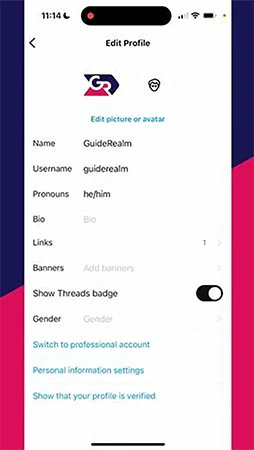
3) Update your Name.
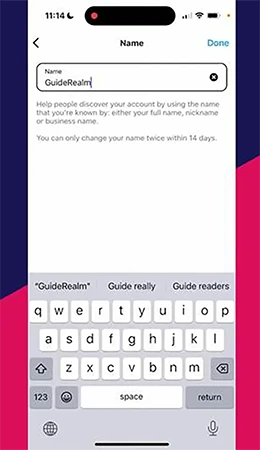
4) Click Done and Change name.
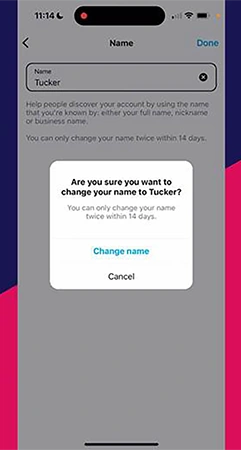
How To Change Instagram Name on Desktop
Here are the steps on how to change your name in Instagram quickly;
1) Log in to your Instagram account using https://www.instagram.com/.
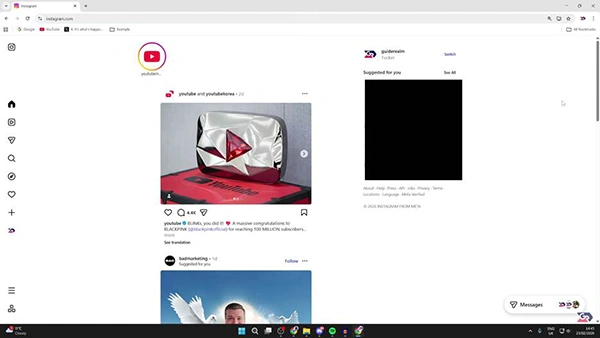
2) Click profile from the left side bar.
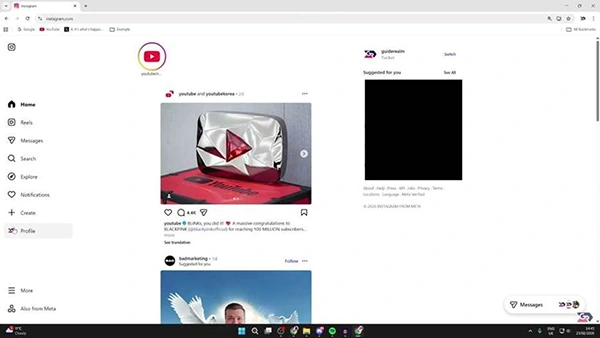
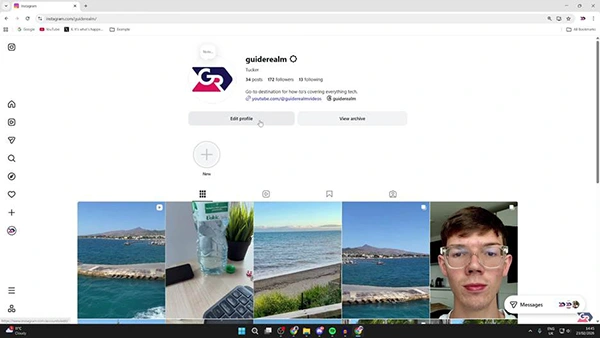
3) Click Edit Profile.
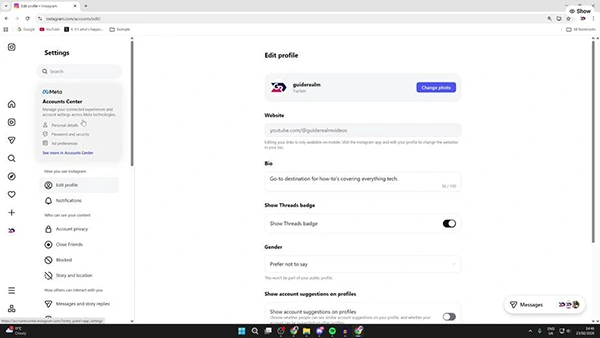
4) Click the Account Center from the top left.
5) Click the one you want to change the IG name for.
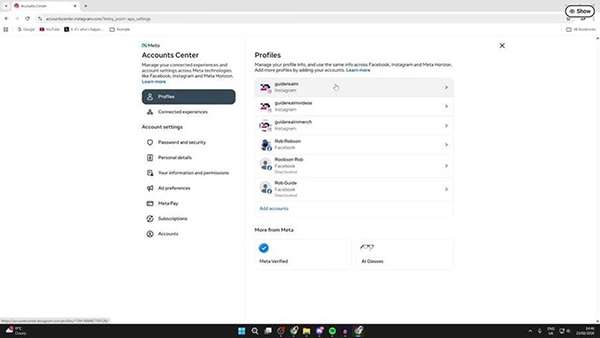
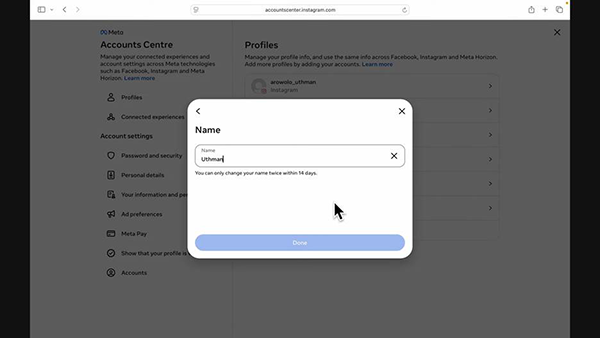
6) Click the first row for Name.
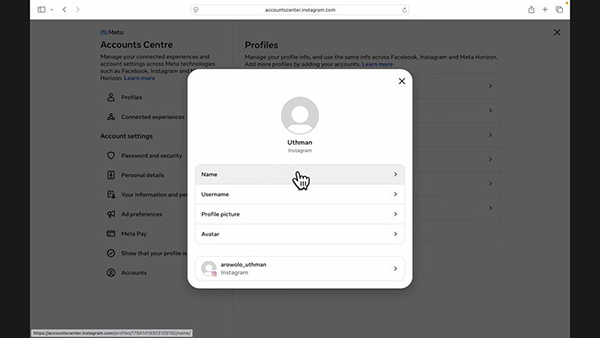
7) Change Instagram name and tap Done.
How to Change Your Username on Instagram
Learning how to change your username on Instagram follows the same steps on mobile and desktop. You go to the Edit Profile field on Instagram.
How to Change Your Instagram Username on Mobile
Follow these steps on how to change username on Instagram in under 2 minutes;
1) Go to the Instagram app on your phone.
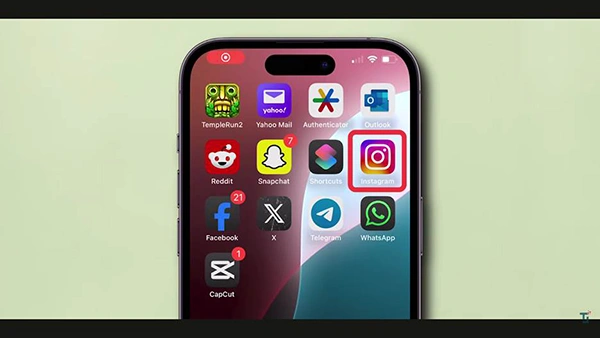
2) Click your profile in the bottom right corner.

3) Tap Edit Profile.
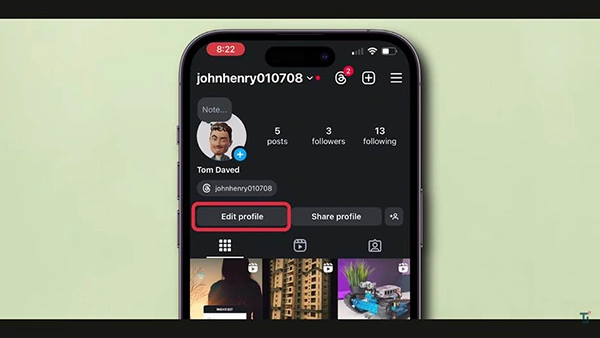
4) Click the second row showing username.
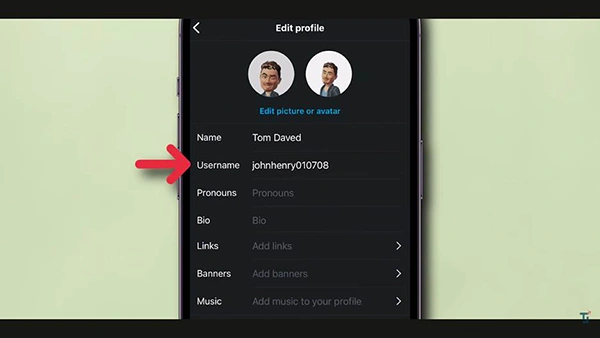
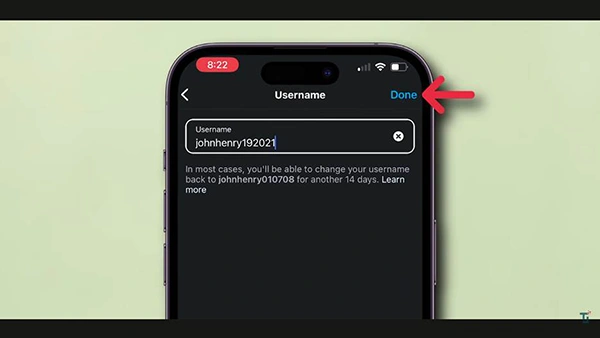
5) Update the previous username.
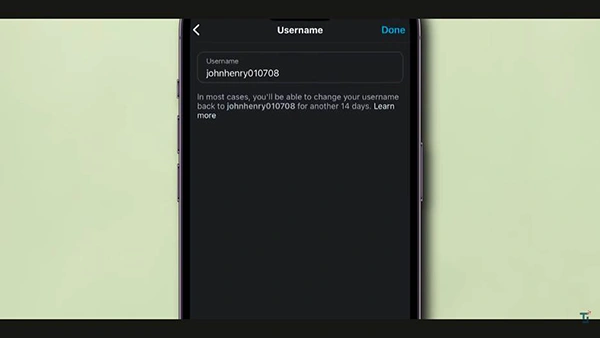
6) Click Done.
How to Change Instagram Username on Desktop
1) Log in to your account on a desktop.
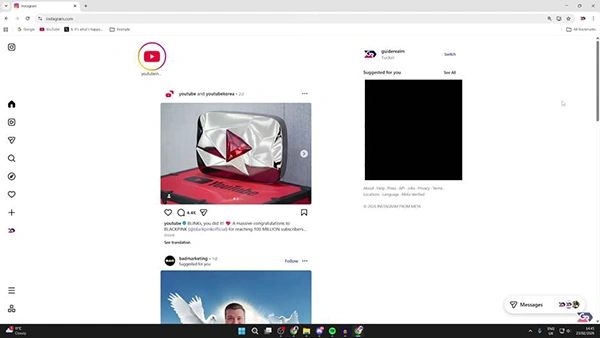
2) Click your profile at the left side bar.
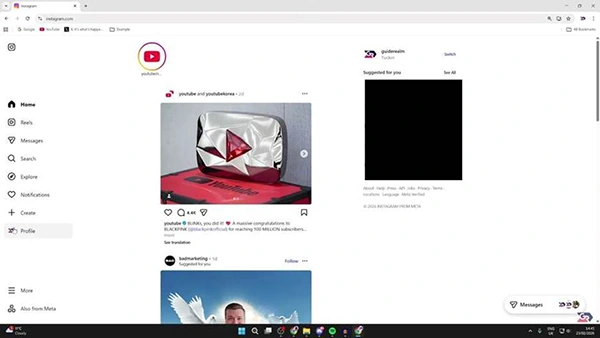
3) Tap Edit Profile.
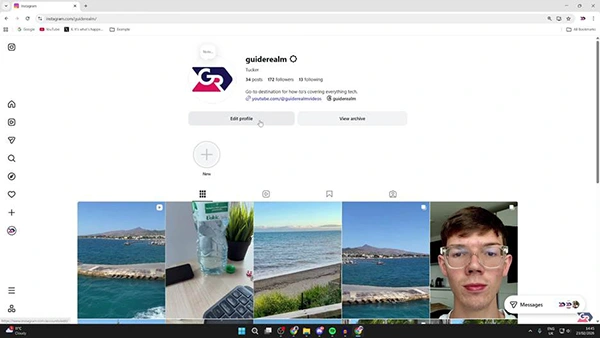
4) Click Account Center under Your account at the top left.
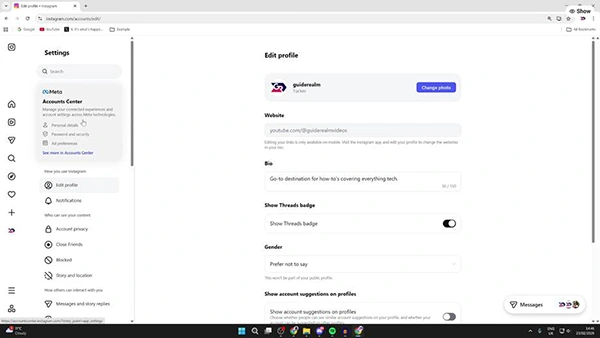
5) Tap your Instagram profile you wish to change username for.
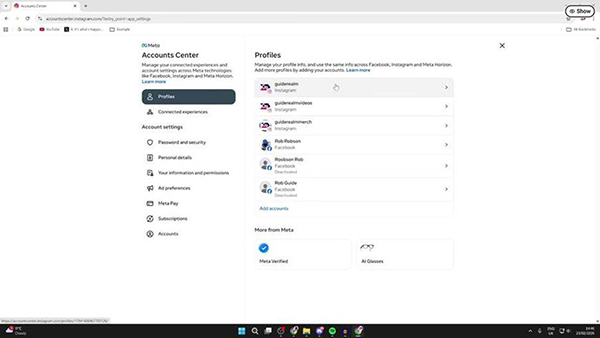
6) Choose the second column showing Username.
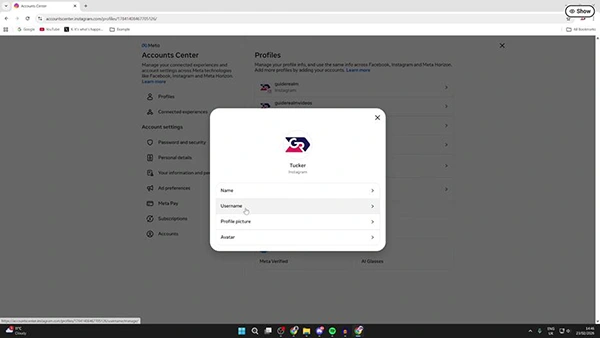
7) Update your username and tap Done.
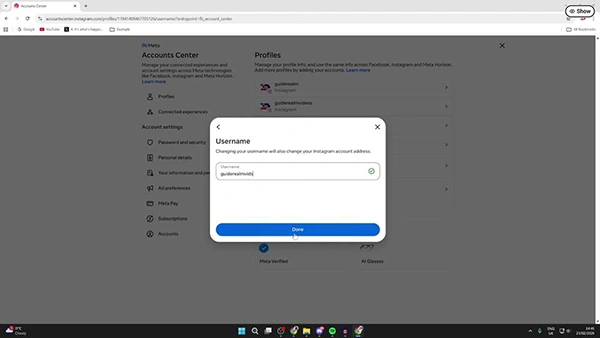
Note: In case your desired username is not available, Instagram automatically shows similar options which are still available.
Instagram Name vs. Username: Know the Difference
You must understand that Instagram name and username are two different factors. If you are confused about them, you may not get the expected changes you wished for.
| Feature | Name (Display Name) | Username (@Handle) |
| Characters allow | Letters, numbers, spaces, most symbols & emoji | Letters, numbers, periods, & underscores only |
| Change limit | No published limit | Up to twice within 14 days |
| Character limit | Up to 30 characters | Up to 30 characters |
| Purpose | Shown in bold on your profile | Used in your profile link and @mentions |
| Uniqueness | Does not have to be unique | Must be unique across Instagram |
If you just want your bold profile name to look different, go to the edit name field and make changes. But if you want to change your profile link, you must choose the username field.
Note: Threads also has the same handle name just as Instagram. Therefore, updating your Insta username changes your Threads link too.
Common Reasons to Change Your Instagram Name
There are many reasons why people change Instagram name or username. These can be when a company renames its brand, a legal name changes, or people change it to sound unique and aligned to their niche.
Here are some of the most common reasons why people change their names or usernames on Instagram:
- A business or its legal name has been updated.
- Users want to use a more professional handle for their field or freelancing.
- A new user had a typo while signing up for the very first time.
- Your existing name does not match the rest of the social media profiles.
- There are multiple accounts for one particular brand name.
- You wish to create a unique, short, and easy-to-remember handle name.
Basic Character and Formatting Rules
You need to know the different formatting rules that Instagram has enforced for various fields. If you use incorrect characters, the changes you made are more likely to be rejected. Here are some important rules you must know:
Name Field Rules
- A name can have up to 30 characters.
- Users are free to include most symbols, emojis, and spaces.
- A name does not necessarily need to be unique because many users can have the same display name.
Username Field Rules
- The length of a username must be up to 30 characters.
- Users can add numbers (0 to 9), letters (a to z), underscores (_), and full stops (.).
- A username is not case-sensitive; thus, whatever you write automatically changes to lowercase.
- It can never start or end with a period (.) or have more than 1 period in one row.
- Your Instagram username must be unique. Although Instagram itself shows some options in case your first choice is not available.
How Many Times Can You Change Your Name and Username?
Although there is no such official information declaring a limit on how many times you can change your name, your username has limitations. As per Instagram’s help center, you can change your profile name up to two times within a 14 day duration.
- Username: It has a two-time change limit within 14 days period.
- Previous usernames: You can get them back in most cases in case no other users have taken them.
- Display name: You are free to change it as many times as you wish.
- Sudden changes: Too frequent or unusual edits on any field may lead to a general review for some accounts by Instagram.
What Happens When You Change Your Name
When you update your username or name, users can see the changes instantly whenever someone views your profile. Here is what changes:
- It has nothing to do with your number of Instagram followers, posts, or post history.
- If you update your username, the old profile link no longer works unless you change it.
- Your followers do not get any notification when you change your name or username.
- If another user takes your old username, you cannot get it back again.
- All previous tags and @mentions done before the change remain linked to your account.
Common Problems While Changing Your Name
Users face most problems while changing the username on Instagram for availability, formatting errors, or the 14-day limit.
- Username unavailable: It shows that another user has the exact same username as yours. Therefore, it is better to include a number, period, or underscore to make it look unique.
- Unable to locate the username field on a desktop browser: You may find it inside the Accounts Centre instead of Edit the profile directly.
- Try again later error: This error occurs when you may have exceeded the two-change username limit within 14 days. Thus, you had better wait for a few days and give it a try again.
- Updated names are not visible: The platform may take a few minutes to show your new name everywhere it comes up.
- Change auto-reverts: You should close the app and open it again. Clear the cache and give it a try once again.
Do’s and Don’ts Before You Change Your Name
Do’s
- Please make sure that your updated username follows Insta’s character limit and rules before you save it.
- Log out and log back in in case you cannot see your updated name instantly.
- Finalise a username that you can use for a long time because the username change limit may be applicable for your account.
- Change your social media profiles, Instagram bio link, and business cards after updating your username.
Don’ts
- Never think about changing your Ig username more than two times in a fortnight, as Instagram may limit it.
- Don’t take too much time to get your previous username back because meanwhile another user may take it.
- Never use multiple symbols, periods, or spaces in a username, as Instagram may reject it.
- Don’t expect that your followers will get notifications when you change your name or username on Instagram.
Conclusion
Learning how to change my name on Instagram does not take more than two minutes. You just need to open your Instagram app and click your profile in the bottom right corner.
Click “Edit profile” and change your name, then save it. It instantly updates and starts showing on your profile. Now you know the difference between Instagram name and username and how to update them.
FAQs
Q1) Can I change my Instagram name as many times as I wish?
Q2) Does Instagram notify my followers if I change my name?
No, your followers do not get any notifications when you change your Instagram name or username. They can only see the new name when they search or visit your profile.
Q3) What is the difference between your Instagram username and name?
Your username starts with @ following identifier in letters, text, underscores, numbers, and periods. It must be unique and helps form your profile link. Your name is your display name, which does not need to be unique. It means many people can have the same name.
Q4) Is it possible to get my old Instagram username back after updating it?
Yes, according to Instagram’s Help Center you can reuse your last username in most cases. However, there are two conditions: it is available and has not been removed from someone’s active account recently.
Q5) Why doesn’t Instagram allow me to save my new username?
There can be many reasons why Instagram does not let you save your new username. Your new username may not be available, may contain restricted characters, or you might have updated it more than once within 14 days.
Q6) Will changing my Instagram username make changes in Threads?
Yes, your Instagram as well as Threads have the same username because these are interlinked. Thus, a change to your the Instagram username will update it on Threads too.
Sources:
How to change your Instagram profile information: by Instagram Help Center
When You Can Change Your Instagram Username to a Name That Was Previously Used: by Instagram Help Center
Edit Your Profile by Instagram Help Center
Profile name eligibility for Meta Verified creator subscriptions by Instagram Help Center